
Manage every flip and rental renovation in one place
RenoCanvas gives real estate investors the tools to track budgets, organize documents, and visualize designs across your entire portfolio.
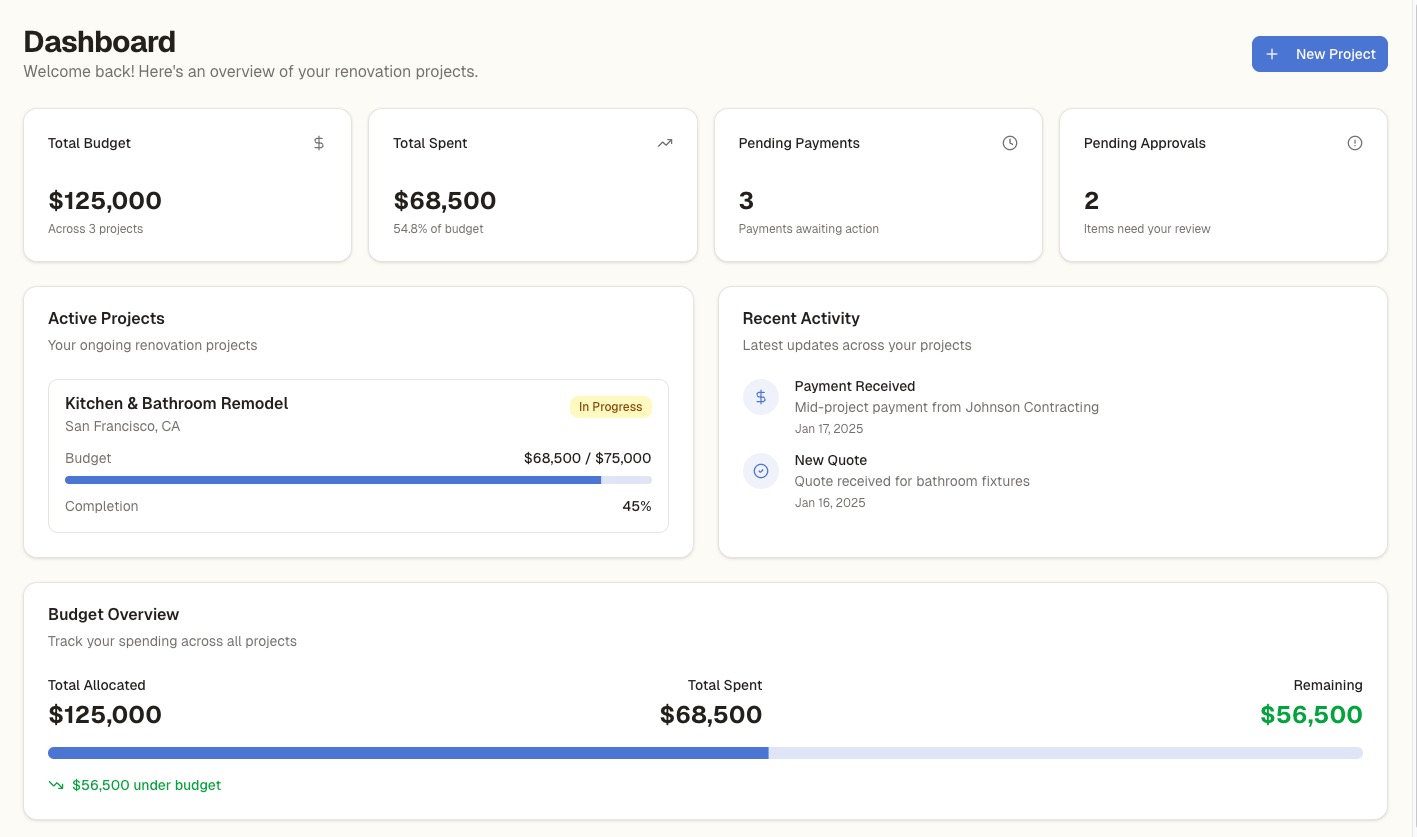
Your entire portfolio on one dashboard
Stop juggling spreadsheets for each property. See every active renovation project in one view—with status, budget health, and quick access to project details.
- Up to 10 active projects on Investor Pro
- Quick-view cards with status and budget
- Filter by status: planning, in progress, completed
- One-click access to any project
- See which properties need attention
Know exactly where you stand on every property
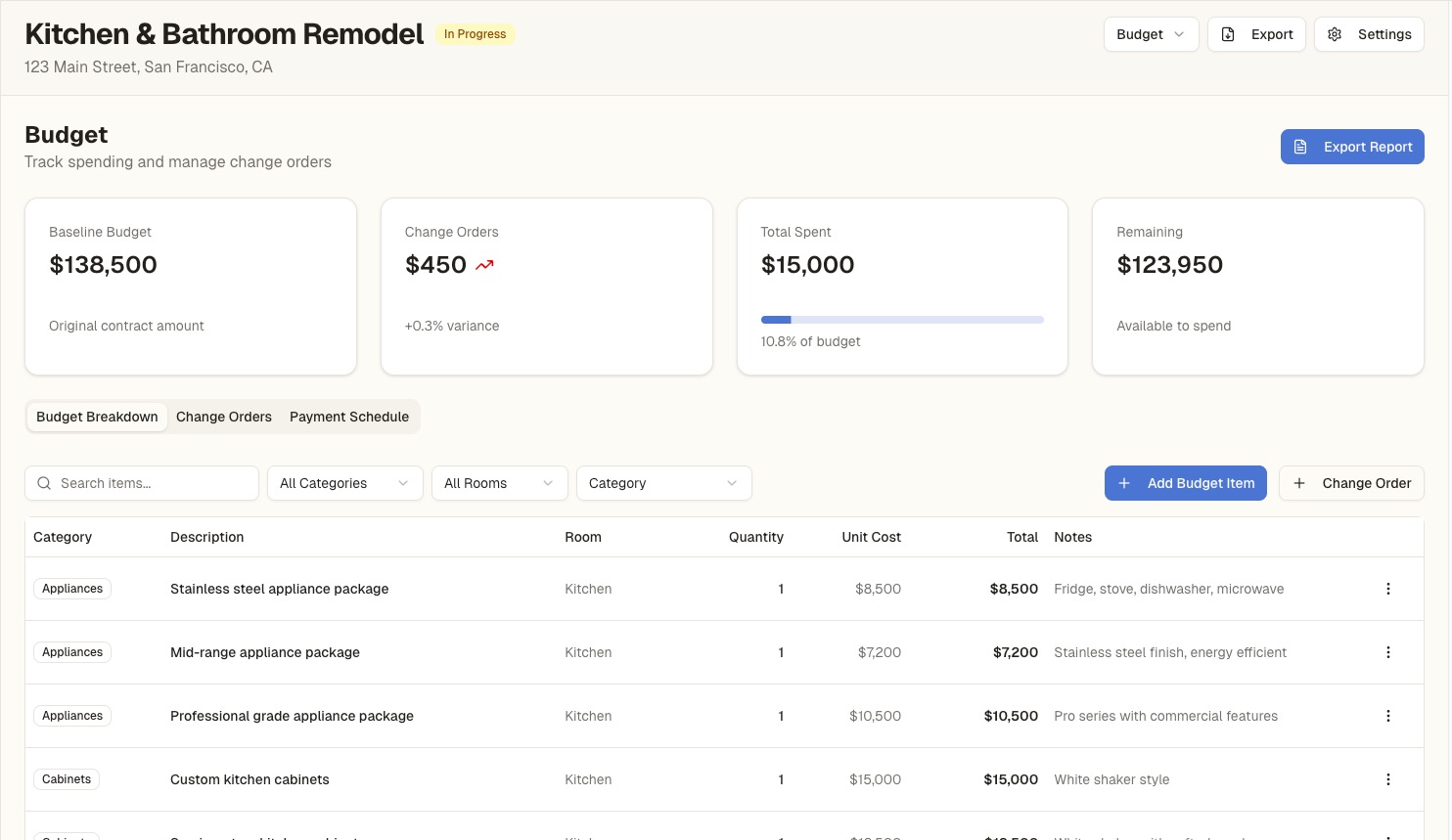
Track baseline budgets versus actual spending across your entire portfolio. Get alerts when projects go over budget so you can course-correct before margins disappear.
- Portfolio-wide budget overview
- Per-project baseline vs. actual tracking
- Variance alerts for over-budget projects
- Change order tracking separate from baseline
- Export budget reports for partners or lenders
Visualize the flip potential before you renovate
Upload a photo of any room, choose a design style, and let AI generate photorealistic visualizations. Use them to plan renovations, get buy-in from partners, or show contractors your vision.
- Upload before photos from any property
- Choose from 10+ design styles
- Generate multiple variations to compare
- 100 AI credits/month on Investor Pro
- Save and export for contractor briefings
AI Design Studio
Every permit, contract, and receipt in one place
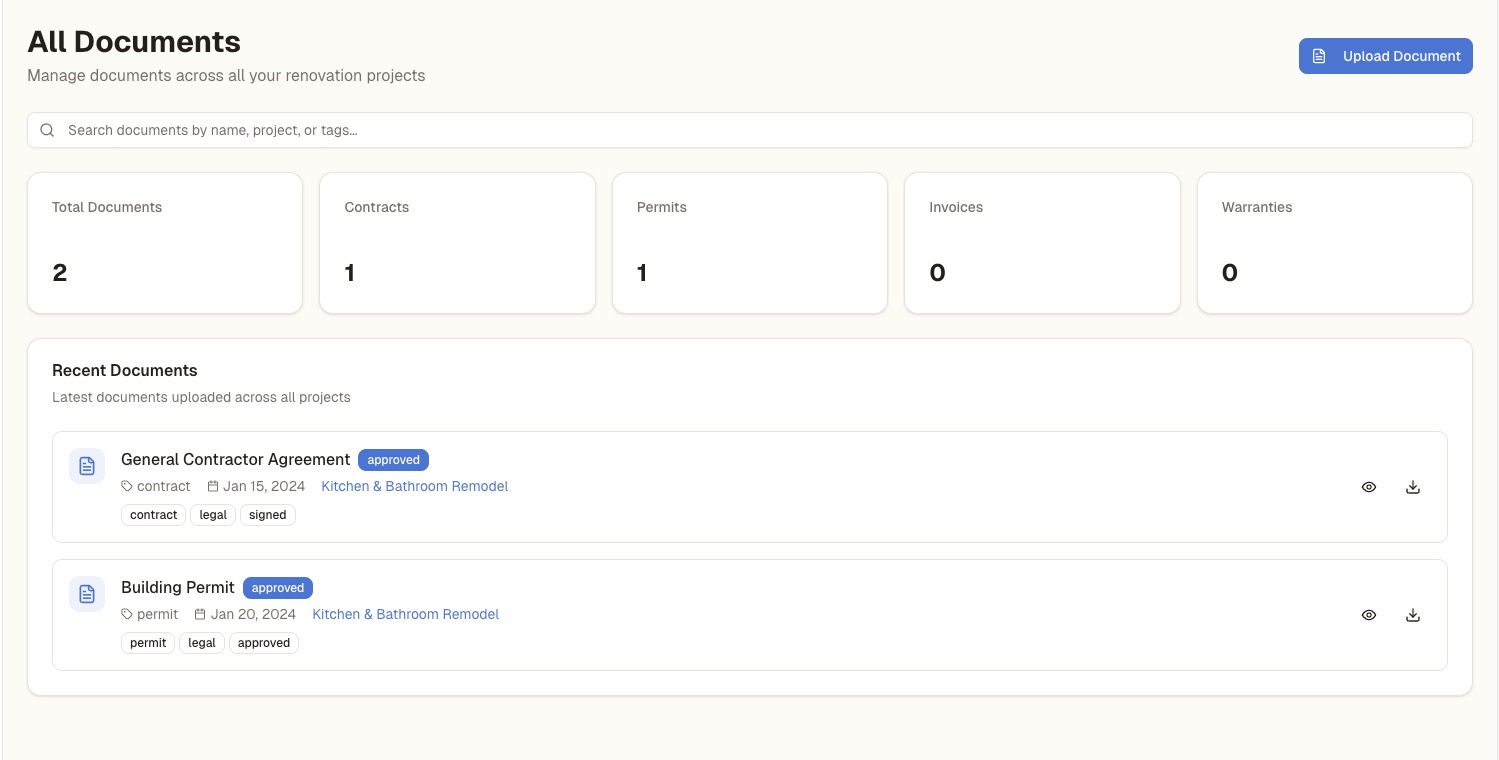
Stop digging through email and filing cabinets. Upload all project documents to RenoCanvas and find anything instantly. When it's time to sell, generate a complete resale dossier with one click.
- Upload contracts, permits, warranties, receipts
- Organize by project and document type
- 50GB storage on Investor Pro
- Generate resale documentation packages
- Shareable links for buyers or partners
Build your go-to contractor database
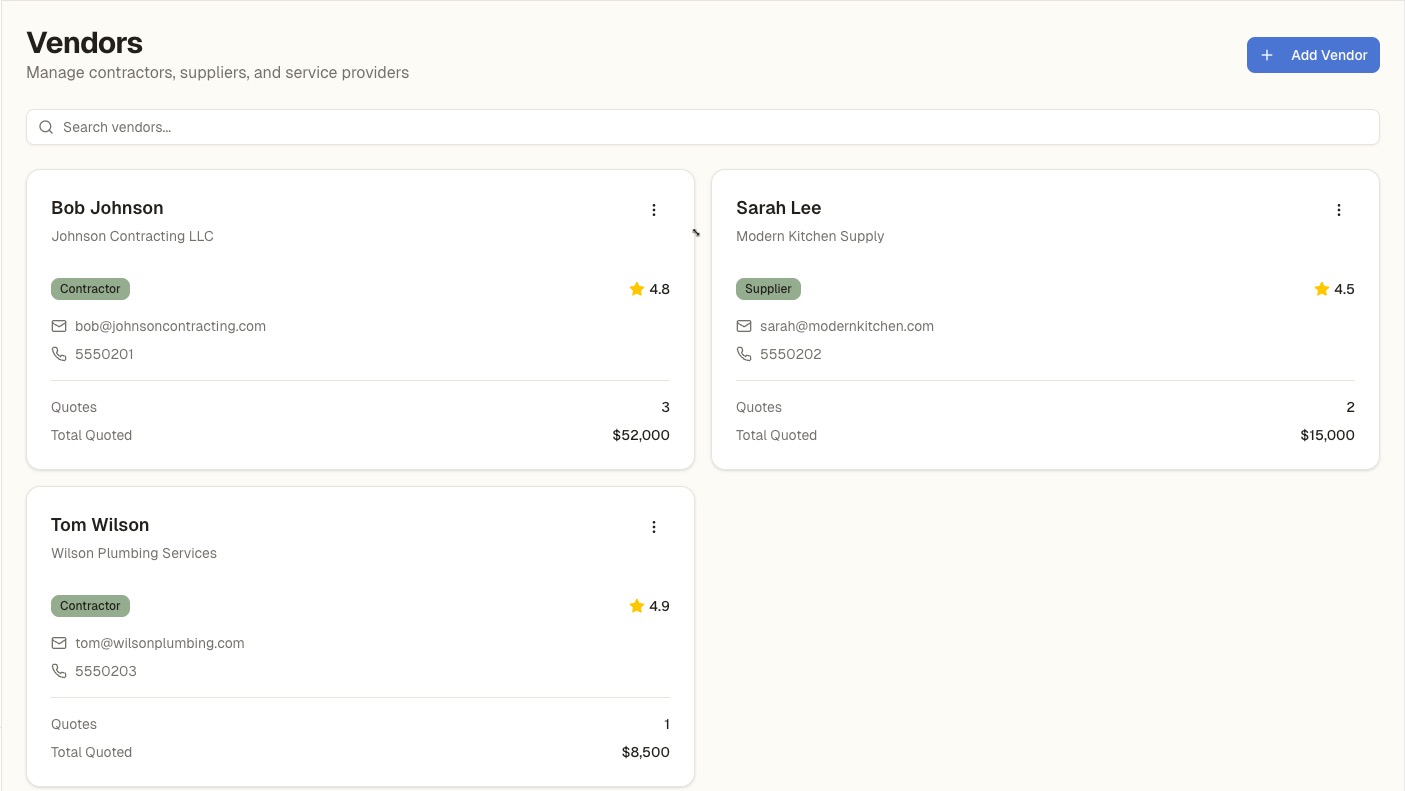
Keep track of every contractor, plumber, electrician, and supplier you work with. Store contact info, notes, and quotes so you can quickly staff up your next project.
- Central database of all your vendors
- Store contact info, specialties, and notes
- Link vendors to specific projects
- Compare quotes from multiple contractors
- AI extracts line items from uploaded quotes
Questions from Investors
Everything you need to know about using RenoCanvas for your investment properties.
How many properties can I manage?
The Investor Pro plan supports up to 10 active projects at once. When you complete or archive a project, that slot opens up for a new property. Need more? Contact us about custom plans.
Can I share project access with partners?
Currently, you can export budget reports, documentation packages, and resale dossiers as PDFs to share with partners or lenders. Direct multi-user collaboration is coming in a future update.
Does RenoCanvas track ROI or ARV?
RenoCanvas focuses on renovation budget tracking—baseline vs. actual spending with variance alerts. ROI and ARV calculations are on our roadmap but not currently available.
How does quote comparison work?
Upload contractor quotes as PDFs and our AI extracts line items, quantities, and prices automatically. Select multiple quotes and see them side-by-side to find the best deal.
What happens to my data when I sell a property?
Generate a resale dossier that packages all permits, warranties, receipts, and before/after photos into a professional document. Share it with buyers to add value to your sale.
Is there a discount for annual billing?
Yes! Pay annually and save on monthly pricing. All plans include the same features whether you pay monthly or annually.
Ready to scale your renovation business?
Join investors who are managing multiple flips without the spreadsheet chaos.
View Plans →Investor Pro starts at $99/month · 10 active projects