
Your design vision, organized and presentation-ready
RenoCanvas gives interior designers the tools to organize inspiration, track product selections, and deliver stunning client presentations.
Build mood boards that capture your vision
Create beautiful, organized mood boards for every room and design concept. Drag and drop inspiration images, materials, and finishes into a cohesive visual story that clients can instantly understand.
- Unlimited mood boards per project
- Organize by room, style, or concept
- Upload images from any source
- Add notes and annotations
- Export boards as polished PDFs
Mood Board Interface
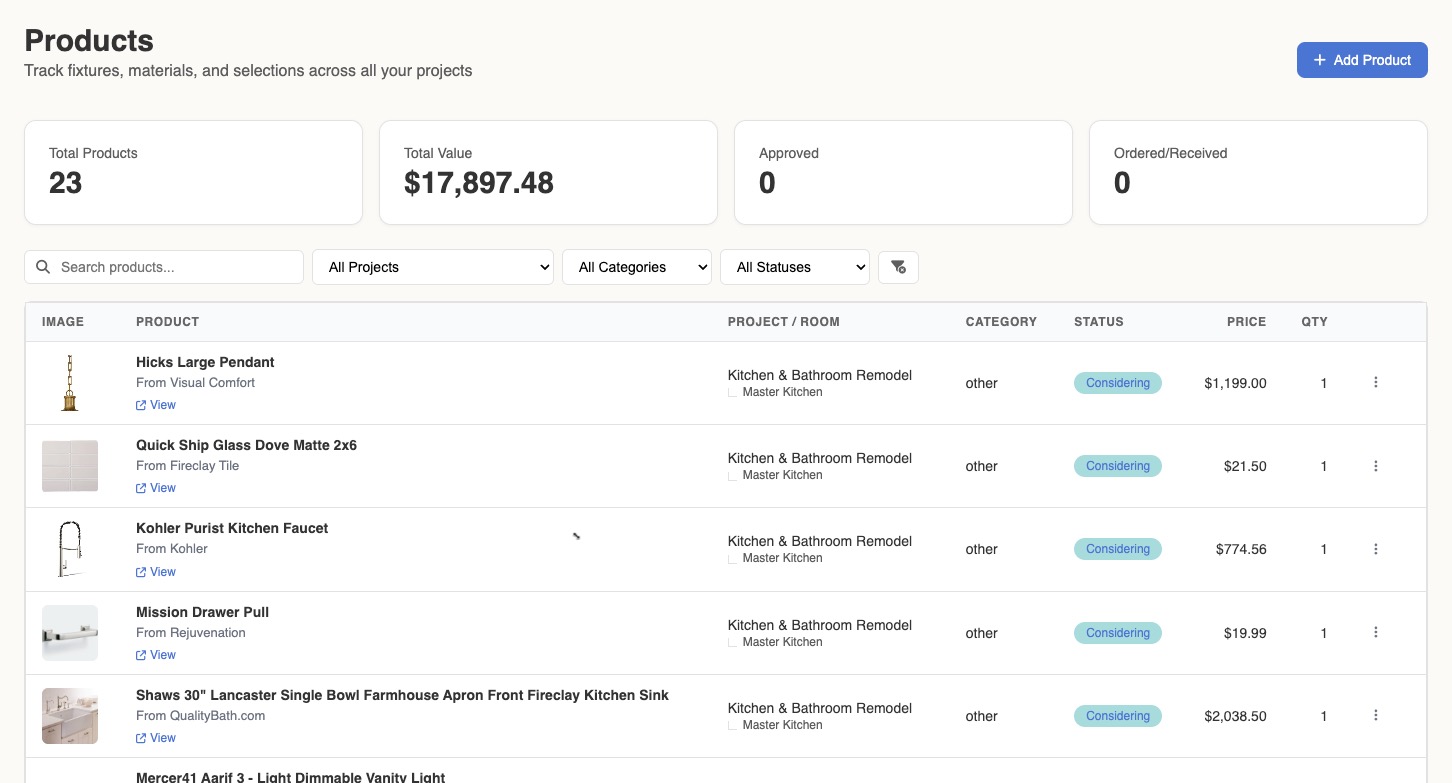
Track every product from inspiration to installation
Save every fixture, finish, and furnishing you're considering—with prices, lead times, and purchase links. Track status through your entire workflow so nothing falls through the cracks.
- Save products with images, prices, and source links
- Track status: Considering → Approved → Ordered → Installed
- Monitor lead times to keep projects on schedule
- Organize by room or project
- Include products in AI design visualizations
Show clients the vision before you build it
Upload a photo of any room, select products from your library, choose a design style, and let AI generate photorealistic visualizations. Help clients see exactly what you're proposing.
- Upload any room photo as your starting point
- Select products you're actually specifying
- Choose from 10+ design styles
- Generate multiple variations to present
- Save favorites and export for presentations
AI Design Studio
Deliver presentations that impress
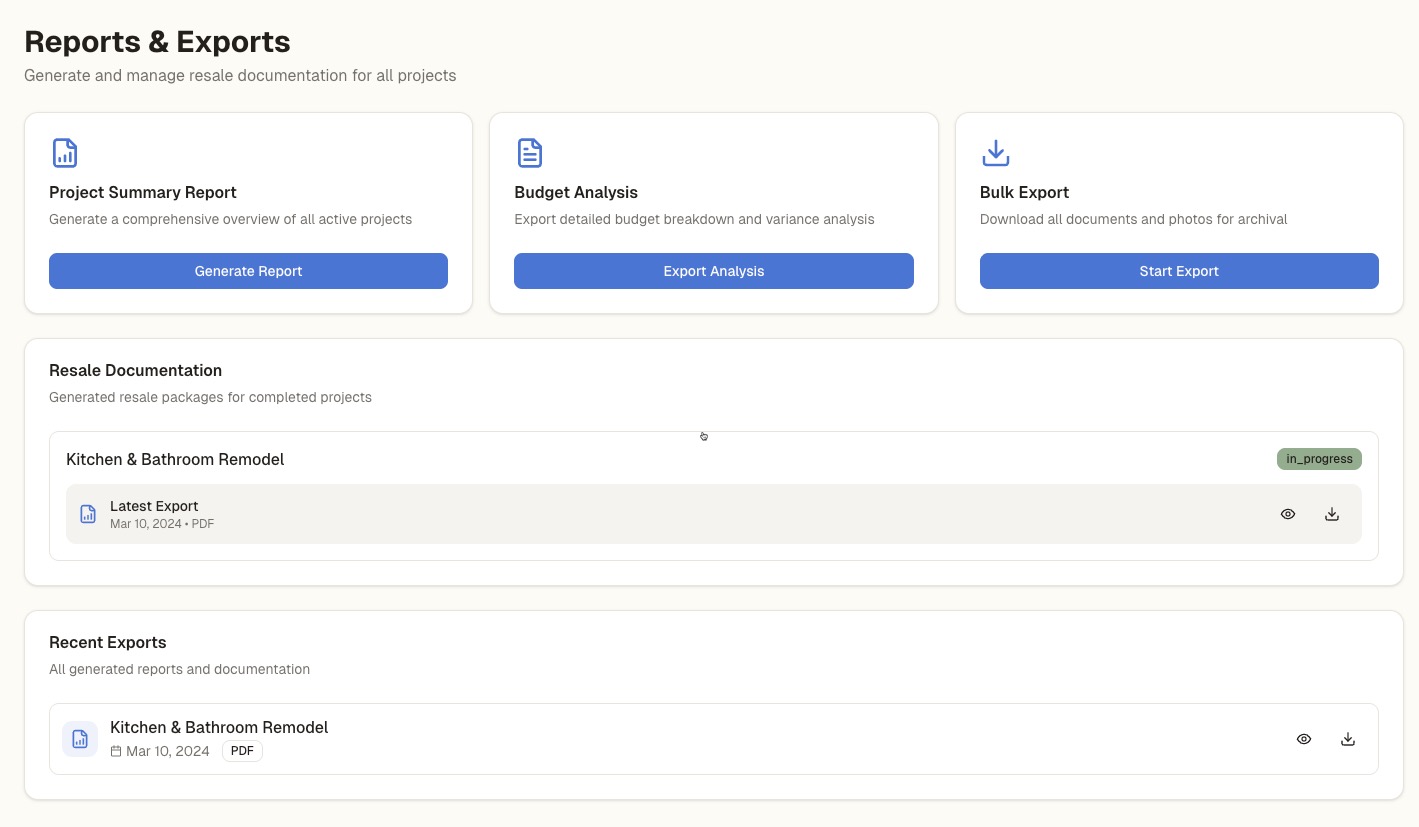
Generate polished PDF documents from your mood boards, product selections, and project data. Create professional design books that showcase your vision and build client confidence.
- Export mood boards as formatted PDFs
- Generate product specification sheets
- Create budget summaries for client review
- Compile project documentation packages
- Brand-ready formatting for your business
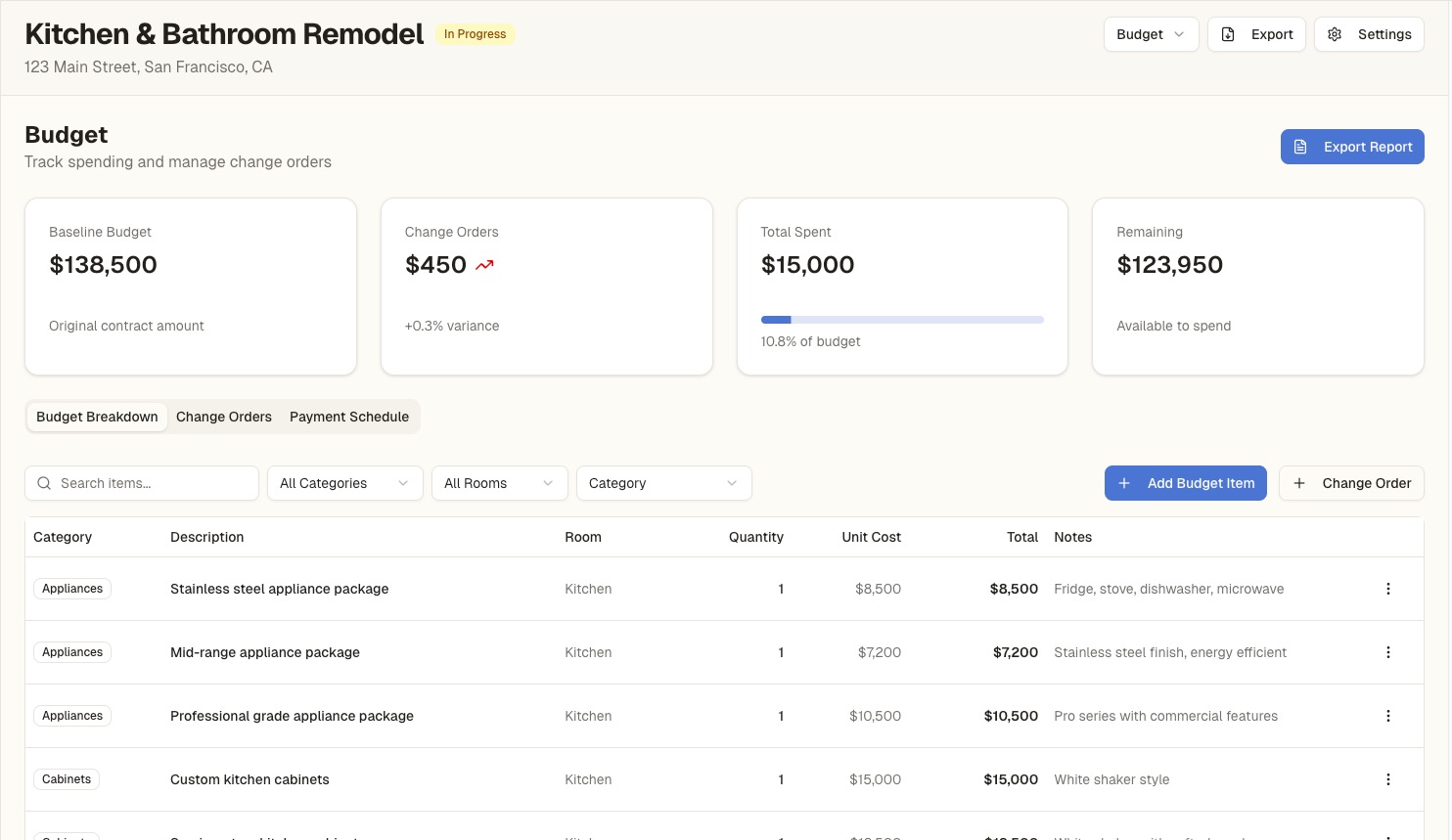
Keep budgets visible and clients informed
Track project budgets with real-time updates as you add products and receive quotes. Manage change orders separately and provide clients with clear financial visibility throughout the project.
- Set baseline budgets by room or category
- Track actual spending against projections
- Manage change orders separately
- Generate budget reports for client meetings
- Export financial summaries anytime
Questions from Designers
Everything you need to know about using RenoCanvas for your design practice.
Can I manage multiple client projects?
Yes! Create separate projects for each client with their own rooms, mood boards, product selections, and budgets. Switch between projects easily from your dashboard.
How do I share designs with clients?
Export mood boards, product selections, and budget summaries as professional PDFs that you can share via email or in presentations. Client portal features with direct sharing are coming in a future update.
Can I track products from my trade vendors?
Absolutely. Add any product from any source—to-the-trade vendors, retail stores, or custom fabricators. Include pricing, lead times, and purchase links for easy reordering.
What's included in the Pro Workspace plan?
Pro Workspace includes unlimited projects, unlimited mood boards, AI design credits, PDF exports, budget tracking, and document storage. It's designed for professional designers managing multiple client projects.
How does RenoCanvas compare to Houzz Pro?
Houzz Pro focuses on lead generation and contractor-side project management. RenoCanvas is built for the design process itself—organizing inspiration, tracking selections, and creating presentations. Many designers use both.
Can I use RenoCanvas for residential and commercial projects?
Yes. RenoCanvas works for any interior design project—residential renovations, new construction, commercial fit-outs, or hospitality design. The same tools scale to any project size.
Ready to streamline your design workflow?
Join designers who are spending less time on admin and more time on design.
View Plans →Pro Workspace starts at $199/month